
Organization AdminCommunication15 min read
Operate social conversations as tickets
Connect supported channels, assign social tickets, reply with context, and close or reopen conversations consistently.
Who can do this
Organization admin for connection; granted Channel operators
Primary route
/channel
Last verified
4 August 2026
01
Understand the ticket model
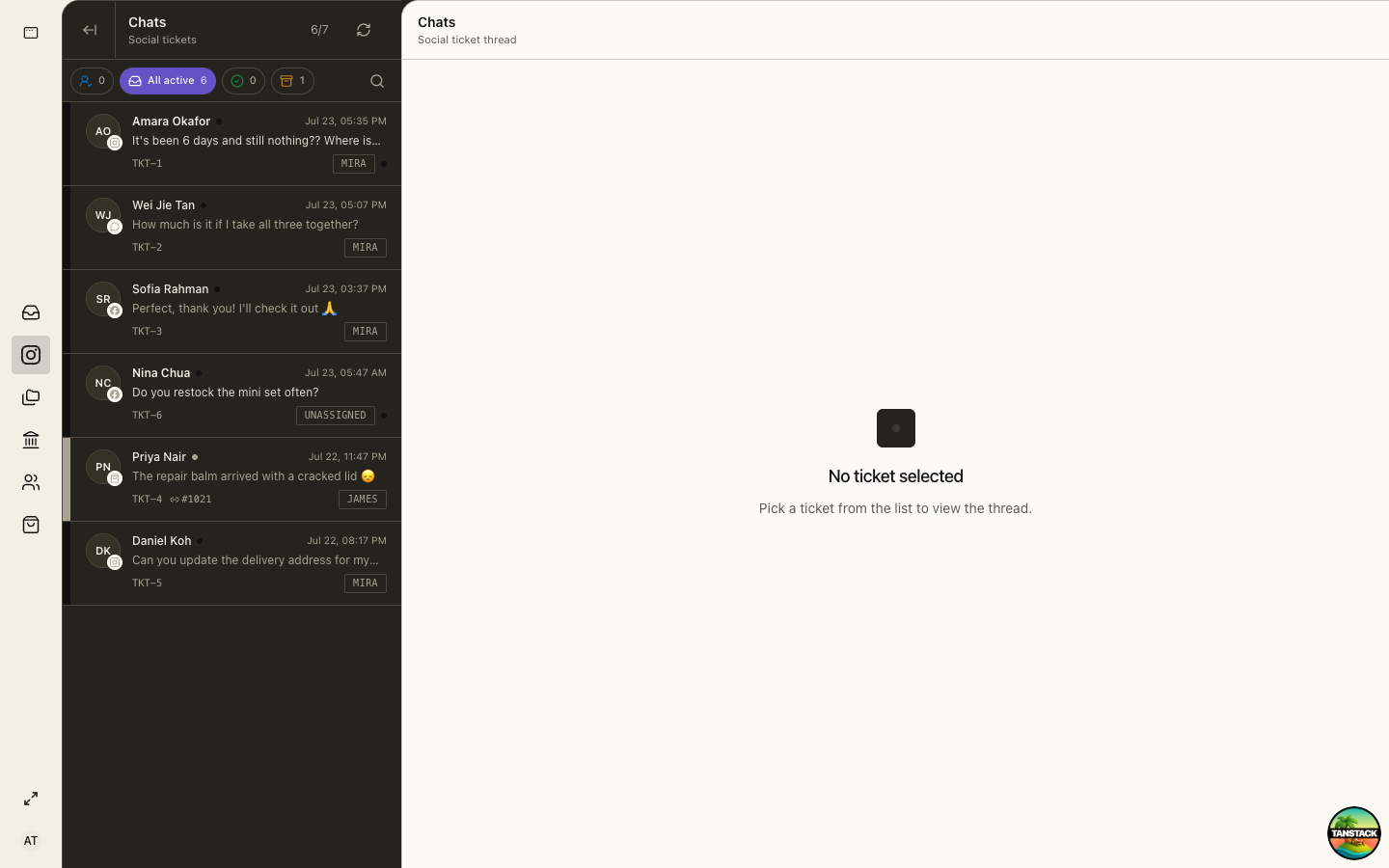
Each direct-message conversation is an operator ticket with a channel, customer, assignee, status, and thread history.
- Unassigned needs an owner.
- Active means a response or follow-up is still required.
- Resolved means the customer issue is complete.
- Archived removes the ticket from active work without deleting history.
02
Connect and verify a channel
Complete the provider authorization, subscribe the correct account or page, verify callback delivery, and send a controlled test conversation.
- Confirm the provider account is owned by the organization.
- Grant only the scopes required for messaging and profile context.
- Confirm the callback or webhook is healthy.
- Send a test inbound message from a non-admin account.
- Reply through Channel and confirm delivery at the provider.
03
Assign, reply, and resolve
One operator should own the next response. Read the complete history and any linked order before replying.
- Claim or assign the ticket.
- Confirm customer identity and channel.
- Read the thread and linked reference such as an order number.
- Reply using approved tone and policy.
- Resolve only after the customer’s request is answered or handed off.
04
Hand off without losing context
Change the assignee and leave a concise internal summary of the request, actions already taken, evidence, and next deadline.
Troubleshooting
- Inbound messages stop: inspect provider authorization and webhook delivery before reconnecting.
- A reply appears duplicated: check the thread and provider message state before retrying.
- A ticket is assigned to a departed user: reassign it and remove that member’s Channel access.