
Operate compliance and audit evidence
Use the compliance calendar, corporate secretarial records, approval queue, and audit trail without treating software reminders as legal advice.
Who can do this
Organization Admin and designated control owners
Primary route
/business-admin
Last verified
4 August 2026
- Complete organization identifiers and filing cadence
- Named owners for Finance, HR, corporate secretarial, and data protection
- Authoritative agency notices and professional advice where required
01
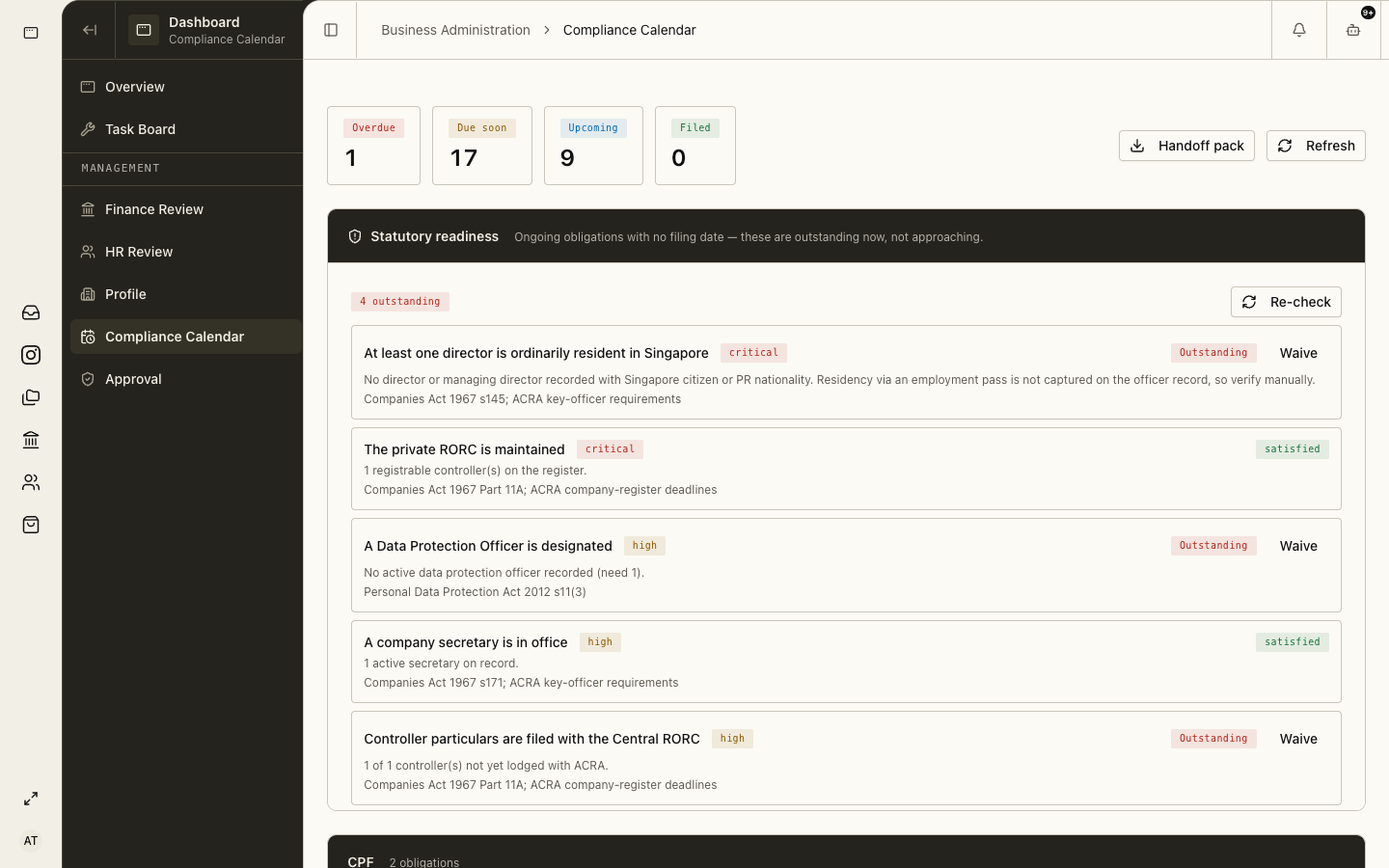
Use the compliance calendar as a control register
The calendar brings GST, corporate tax, ACRA, CPF, and HR deadlines into one queue. Validate dates against the organization’s actual registration, notices, and circumstances.
- Open Dashboard → Compliance Calendar.
- Review overdue and due-soon obligations by owner and source.
- Open the obligation and verify the authoritative source and applicability.
- Attach preparation, approval, filing, and payment evidence.
- Close the obligation only after the official acknowledgement is retained.
02
Maintain corporate secretarial records
Use Corporate Secretarial for directors, shareholders, share capital, resolutions, and ACRA-related records. Changes must follow the organization’s legal approval and filing process.
03
Use the Approval queue for consequential actions
Approval preserves human control over agent-proposed or high-impact actions.
- Open Dashboard → Approval.
- Inspect the proposed action, source evidence, organization, and scope.
- Approve, reject, or return with a reason using your own account.
- Verify the resulting record and audit event.
04
Review the organization audit trail
Open Settings → Organization → Audit Trail to investigate who changed configuration or records and when.
- An audit entry is evidence of a platform action, not proof that the underlying legal or accounting judgment was correct.
- Export or retain external acknowledgements where the final act occurs at an agency, bank, or provider.
- Escalate unexplained privilege, credential, posting, payroll, or filing changes immediately.
Troubleshooting
- A deadline looks wrong: verify entity registration, filing frequency, period, and the latest agency notice.
- An obligation has no owner: assign an accountable person before preparation begins.
- The audit trail lacks external completion: attach the agency, bank, or provider acknowledgement.