
Publish registration and operate attendees
Create a registration site, configure tickets and capacity, publish safely, and manage reminders, waitlist, passes, and check-in.
Who can do this
Events manager or organization admin
Primary route
/events/management
Last verified
4 August 2026
01
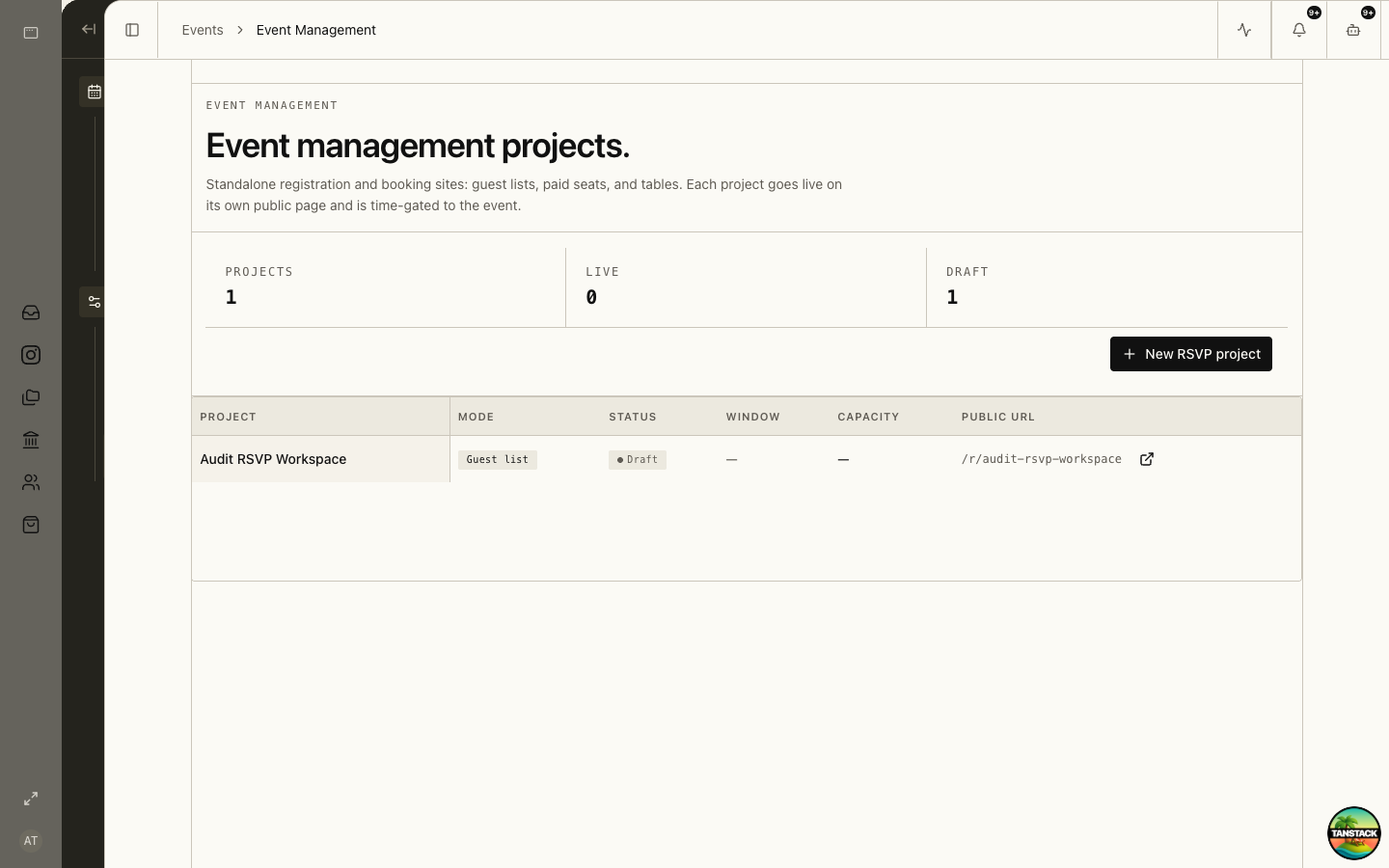
Create the registration project
Open Event Management and create or select the project tied to the event. Confirm public title, dates, venue, organizer, capacity, and privacy notice.
02
Configure registration and tickets
Define fields, ticket types, prices, sales windows, quantity limits, waitlist, confirmation copy, and any payment connection.
03
Test before publishing
Complete a test registration on desktop and mobile, verify confirmation delivery and attendee creation, and exercise payment or waitlist behavior.
04
Manage attendees
Use the attendee record for registration status, payment, pass, reminders, changes, cancellation, and waitlist movement.
05
Run check-in and follow-up
Prepare devices and fallback lists, verify each attendee or pass, record check-in once, and export only the minimum data required after the event.
Troubleshooting
- Registration is open but unavailable: check publish state, sales window, capacity, and public route.
- Payment succeeded without a confirmed attendee: preserve the payment reference and reconcile before retrying.
- A pass scans twice: inspect attendee history before admitting or issuing a replacement.