
File employment income (AIS) yourself
Prepare the IR8A dataset from approved payroll, validate with IRAS, and submit through the connected API by 1 March — with the myTax Portal Excel as fallback.
Who can do this
Payroll operator prepares; an authorized person approves and submits
Primary route
/hr/payroll
Last verified
5 August 2026
- Twelve months of approved payroll runs for the income year
- AIS registration (compulsory from 5 employees) or a voluntary registration
- IRAS API connection, or Corppass access to myTax Portal for manual submission
01
Know what AIS submits and when
Under the Auto-Inclusion Scheme, the employer transmits each employee’s employment income (IR8A data and applicable appendices, including Appendix 8B for share plans) directly to IRAS by 1 March. Employees then see the amounts pre-filled in their own tax returns. Since the 2025 transition, AIS is a JSON API submission — there is no file upload format anymore.
- Compulsory for employers with 5 or more employees and for any employer IRAS has notified; once registered, participation continues.
- Directors’ fees and benefits-in-kind belong in the dataset — reconcile them against board resolutions and expense records, not memory.
02
Prepare and approve the draft
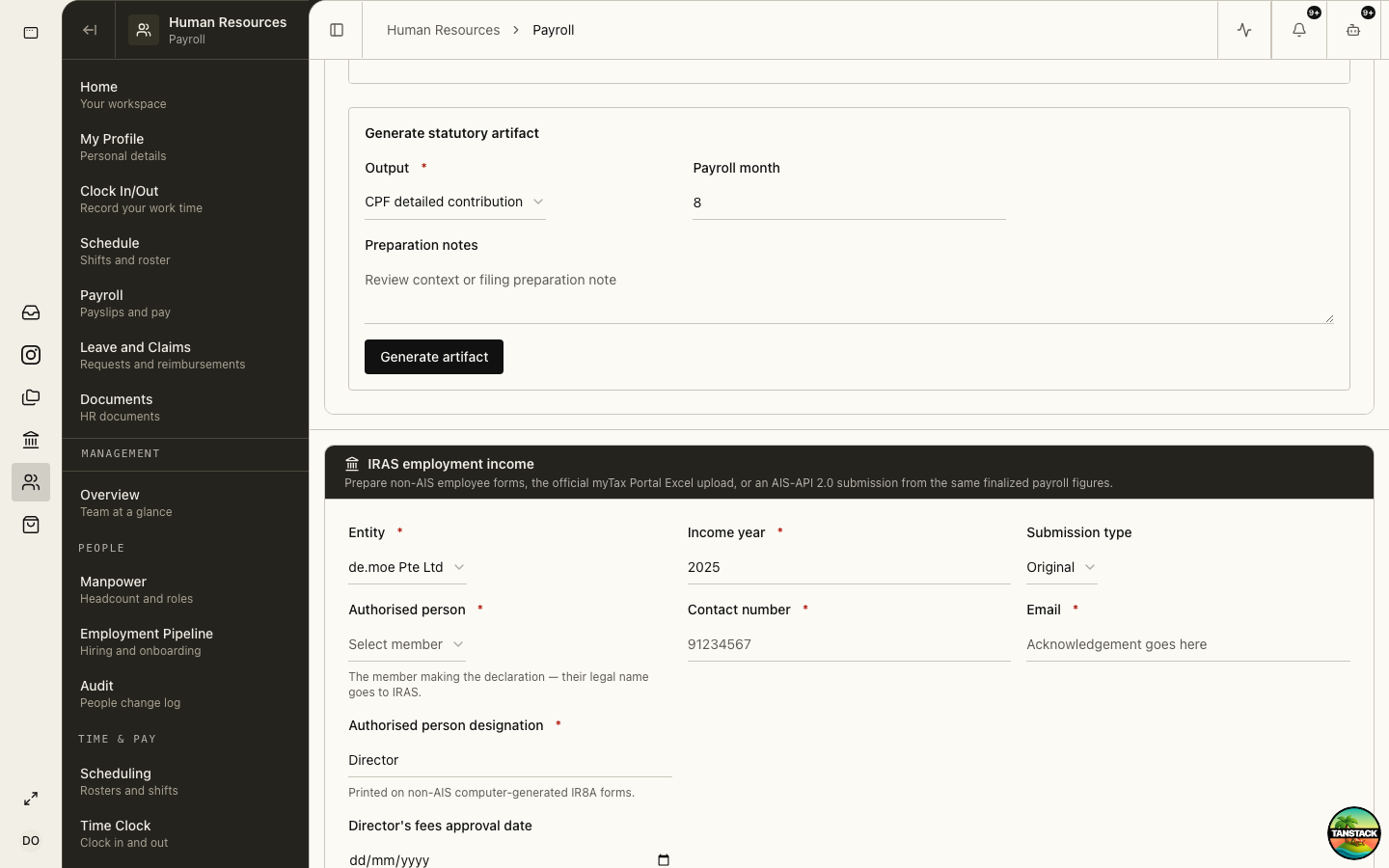
HR → Payroll → Payroll reporting assembles the income-year dataset from approved runs, keeping preparation and approval as separate acts.
- Select the entity and income year, and complete the authorised-person details (name, designation, contact) that IRAS requires on the submission.
- Prepare draft: the IR8A dataset builds from approved payroll lines, including starters, leavers, and directors.
- Reconcile the draft against the annual payroll ledger; investigate any employee whose totals differ from published payslips.
- Record Appendix 8B grant rows for any employee share plans (grant dates, exercise prices, open-market values).
- Approve draft with a second authorized user.
03
Validate with IRAS, then submit
The connected IRAS API validates the dataset before anything is filed, surfacing IRAS errors and warnings inline.
- Run Validate with IRAS and resolve every error; treat warnings as review items, not noise.
- Submit to IRAS and store the acknowledgement on the submission record.
- If the API is not connected, Download myTax Portal Excel and submit through the AIS offline channel in myTax Portal instead.
- For employers outside AIS, Download non-AIS IR8A forms and issue them to employees by 1 March.
- File amendments through the official amendment flow if errors surface after submission — never resubmit the full original.
Validation success is not submission. The obligation is discharged by the accepted submission and its acknowledgement.
Troubleshooting
- IRAS validation rejects identifiers: check NRIC/FIN formats and citizenship records in the employee profiles.
- An employee’s total differs from payslips: exceptional items (benefits-in-kind, ex-gratia, share events) posted outside payroll are the usual cause — reconcile before submitting.
- API submission fails but validation passed: retry after checking the IRAS connection health in API services; fall back to the myTax Portal Excel if the deadline is near.