
Take a Finance source from upload to ledger
Follow a bank statement, invoice, bill, receipt, or tax document through intake, review, approval, posting, and traceability.
Who can do this
Finance preparer, reviewer, or organization admin
Primary route
/finance/upload
Last verified
4 August 2026
- The original source file
- Correct legal entity and accounting period
- Contacts, accounts, tax treatment, and approval responsibilities
01
Choose the correct starting point
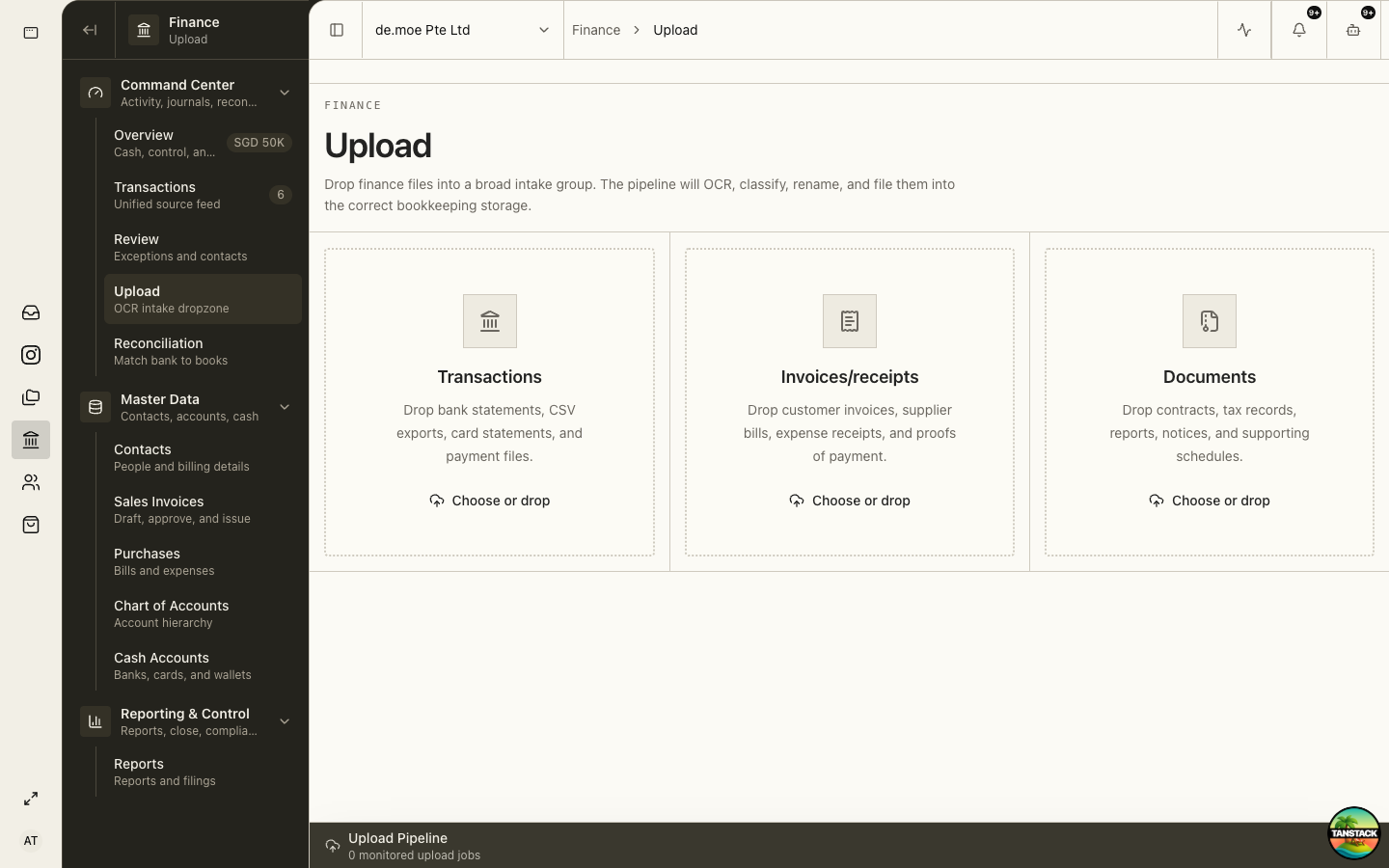
Use Upload for source files, Sales Invoices for customer billing, Purchases for bills and expenses, and Transactions to inspect everything that entered the books.
02
Upload the original source
The intake pipeline can OCR, classify, rename, and file the document, but the preparer must verify the result.
- Open Finance → Upload.
- Choose the broad intake group that matches the source.
- Upload the original, legible file once.
- Wait for processing to finish and open the intake result.
- Compare extracted fields and totals against the source.
03
Verify the accounting proposal
Check entity, counterparty, document number, dates, currency, lines, tax, payment terms, accounts, and totals.
OCR confidence is not approval. If the source is unreadable or contradictory, stop and obtain better evidence.
04
Resolve review exceptions
Finance Review holds low-confidence decisions, transaction exceptions, and guarded contact creation.
- Open the exception and original attachment.
- Check for an existing contact or duplicate document.
- Correct the proposed field with supporting evidence.
- Return unclear work with a specific reason.
- Approve only when the source and accounting treatment agree.
05
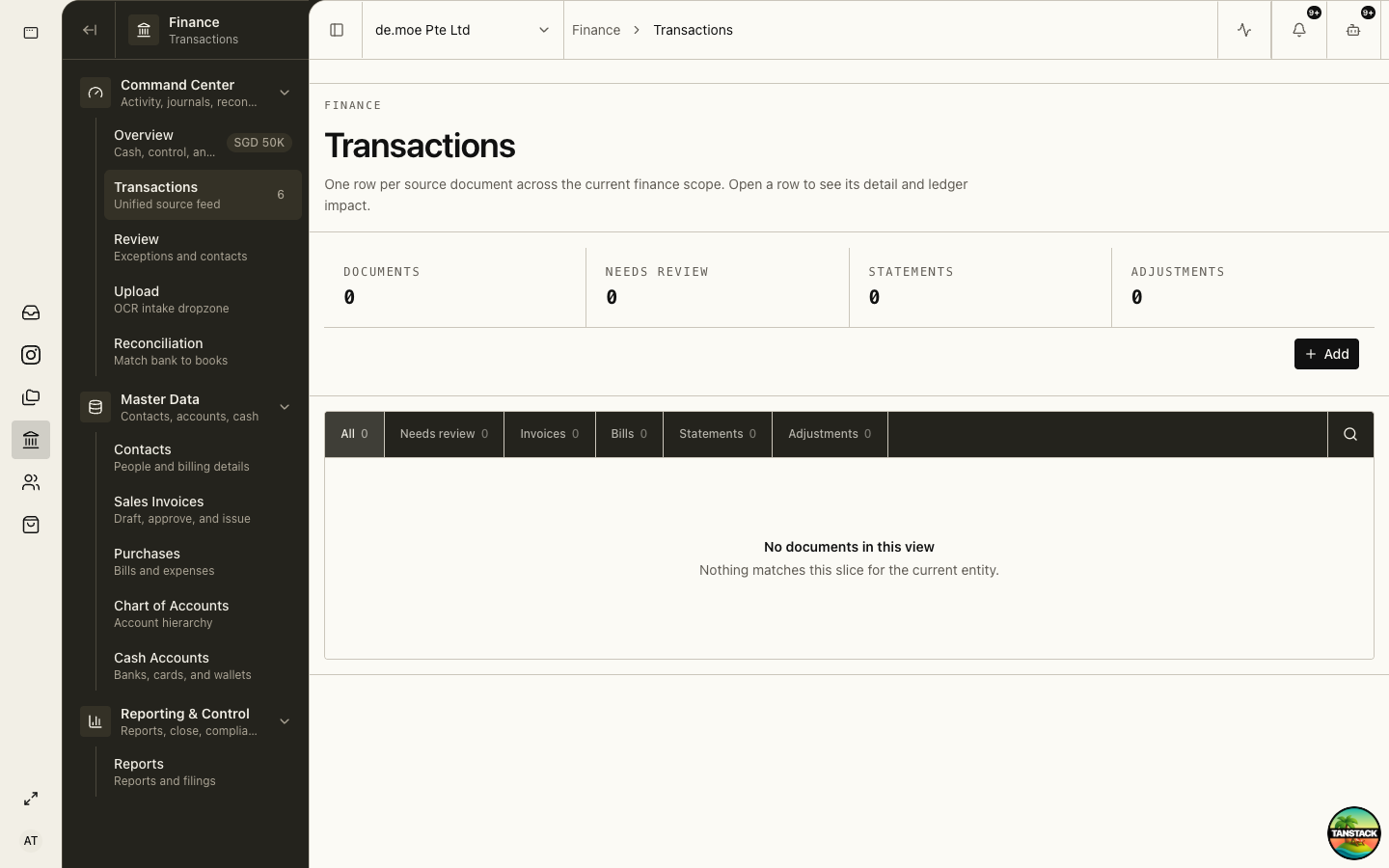
Trace the result in Transactions
Transactions is the unified source feed. Open the row to see document detail, source links, and ledger impact.
06
Correct without erasing history
Before posting, return and correct the draft. After posting, reverse the incorrect entry and post a corrected one with linked evidence.
Troubleshooting
- The source was uploaded twice: search by counterparty, number, amount, and date; stop the duplicate before posting.
- Totals do not agree: compare line tax, discounts, currency, and rounding with the original.
- A posted record is wrong: do not delete or overwrite it; reverse and replace through the controlled workflow.