
Configure HR and employee records
Set employment policy, reference data, documents, required employee fields, and permissions before payroll or self-service goes live.
Who can do this
Organization Admin or authorized HR administrator
Primary route
/settings/organization/hr
Last verified
4 August 2026
- Employment policies, working-time rules, leave rules, and payroll cadence
- Employee identity, employment, pay, CPF, and bank information
- Retention and access rules for sensitive HR records
01
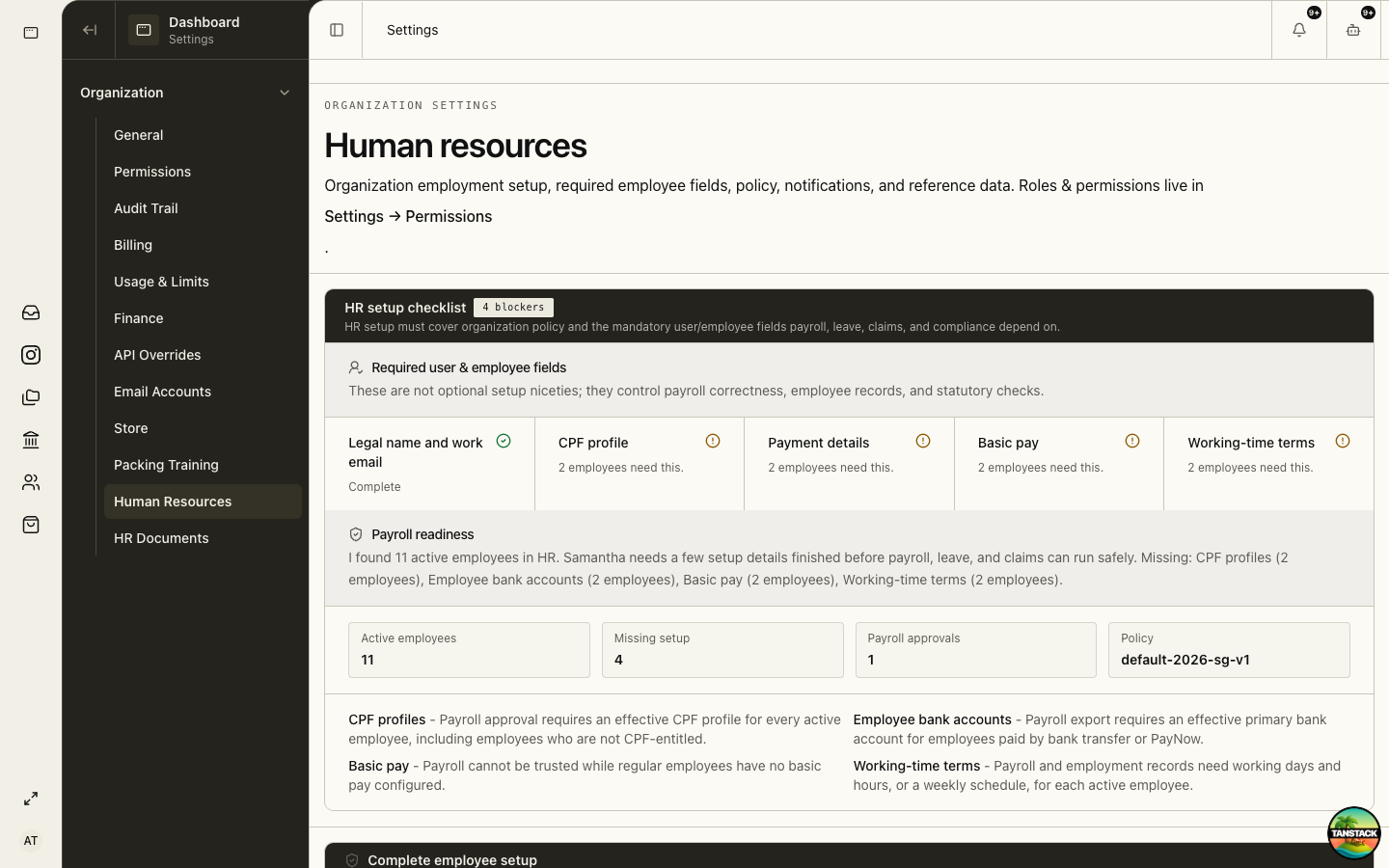
Complete organization HR settings
HR settings govern payroll correctness, self-service, notifications, and required employee fields.
- Open Settings → Organization → Human Resources.
- Review the setup checklist and payroll readiness blockers.
- Configure employment, leave, claims, time, payroll, and notification policy.
- Create departments and work locations.
- Configure HR documents in Settings → Organization → HR Documents.
- Manage HR roles and page access in Settings → Organization → Permissions.
02
Create a complete employee record
Each active employee needs enough data for employment records, payroll, leave, claims, and statutory checks.
- Create the employee in Human Resources → Manpower.
- Enter legal name, work email, employee number, department, location, job title, start date, and employment status.
- Record address, identity/work-pass details, date of birth, and working-time terms where required.
- Add basic pay, primary payment account, and effective CPF profile.
- Issue or attach key employment terms and required HR documents.
- Invite the person to the platform only after the work email and role are verified.
Expected result: The employee no longer appears in the setup blocker counts and can use linked self-service.
03
Meet employment-record requirements
MOM requires employers to maintain detailed employee and salary records for employees covered by the Employment Act.
- Maintain current employee records for the latest two years.
- For ex-employees, retain the last two years of records for one year after departure.
- Ensure salary records contain the same required information as itemised payslips.
- Restrict NRIC, work-pass, bank, pay, medical, and disciplinary information to roles that need it.
04
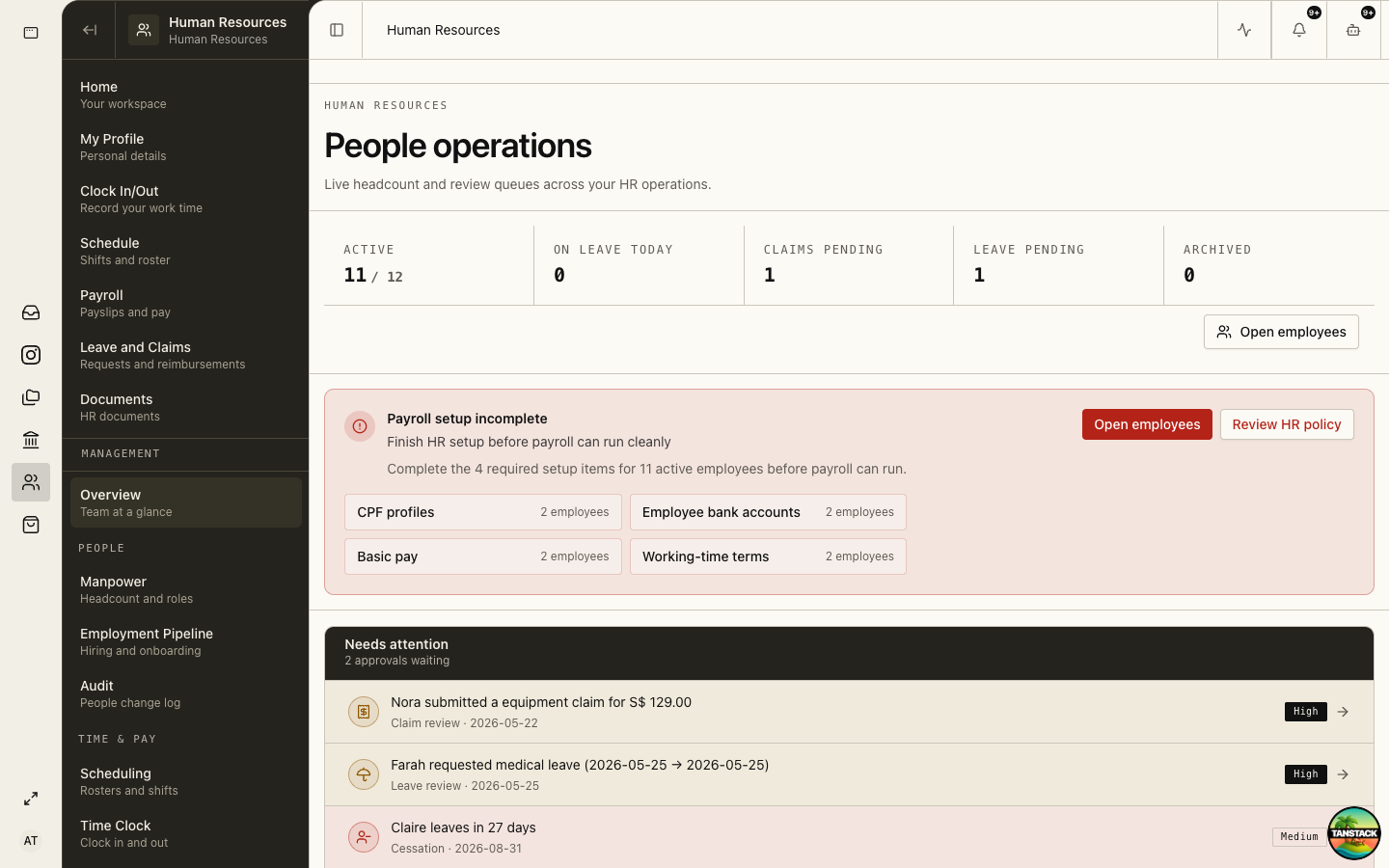
Use People Operations to clear risk
The HR overview shows active headcount, pending claims and leave, setup failures, and time-sensitive people events.
Troubleshooting
- Employee self-service is empty: confirm the HR record is linked to the same user account and organization.
- Payroll readiness remains blocked: open each listed employee and complete the named effective-dated field.
- A manager sees protected data: remove the page grant immediately and review the organization audit trail.