
Use your schedule, time clock, and payroll
Confirm rostered work, record time accurately, resolve exceptions, and review payslips and payment without changing protected HR facts.
Who can do this
Employee
Primary route
/hr/me
Last verified
4 August 2026
01
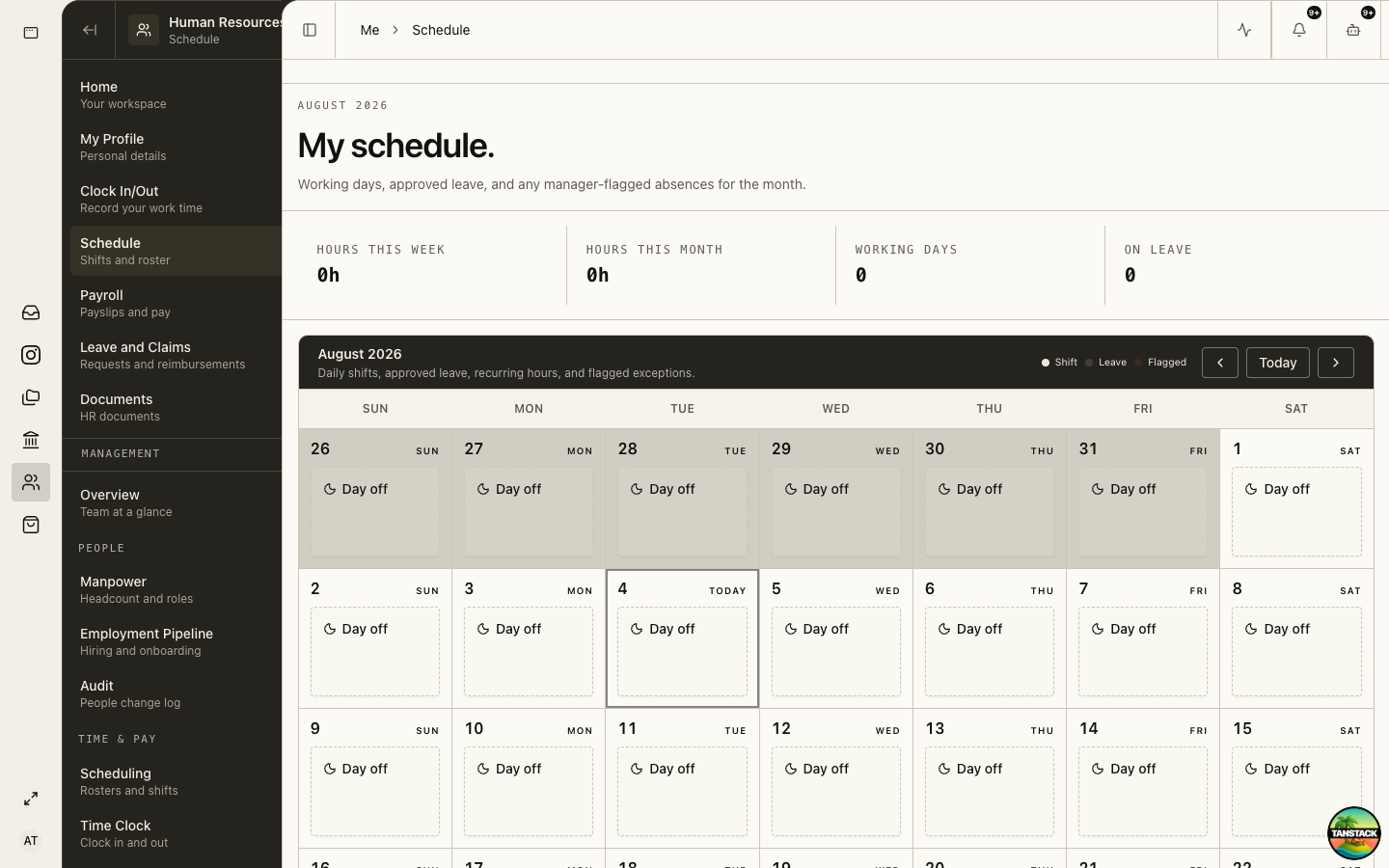
Review your schedule
Open Me → Schedule before the work period. Confirm date, location, start, end, break, and any approved change.
02
Clock in and out
Use Me → Clock In/Out at the actual start and end. Do not share devices or record time for another person.
03
Resolve a time exception
Use the provided correction or reconciliation flow. State the actual time, reason, and supporting evidence without editing the original event.
04
Review payroll and payslips
Compare period, base pay, hours, additions, deductions, CPF treatment, leave, claims, net pay, and payment date.
05
Report a discrepancy
Reference the payroll period and line, explain expected versus actual, and attach only the evidence HR requests.
Troubleshooting
- Your shift is missing or wrong: report it to the roster owner before clocking if possible.
- Clock action fails: record the actual time and device context, then use the correction process.
- Payslip and bank deposit differ: report the period and amounts to HR; do not upload bank credentials.